Exact order, every time
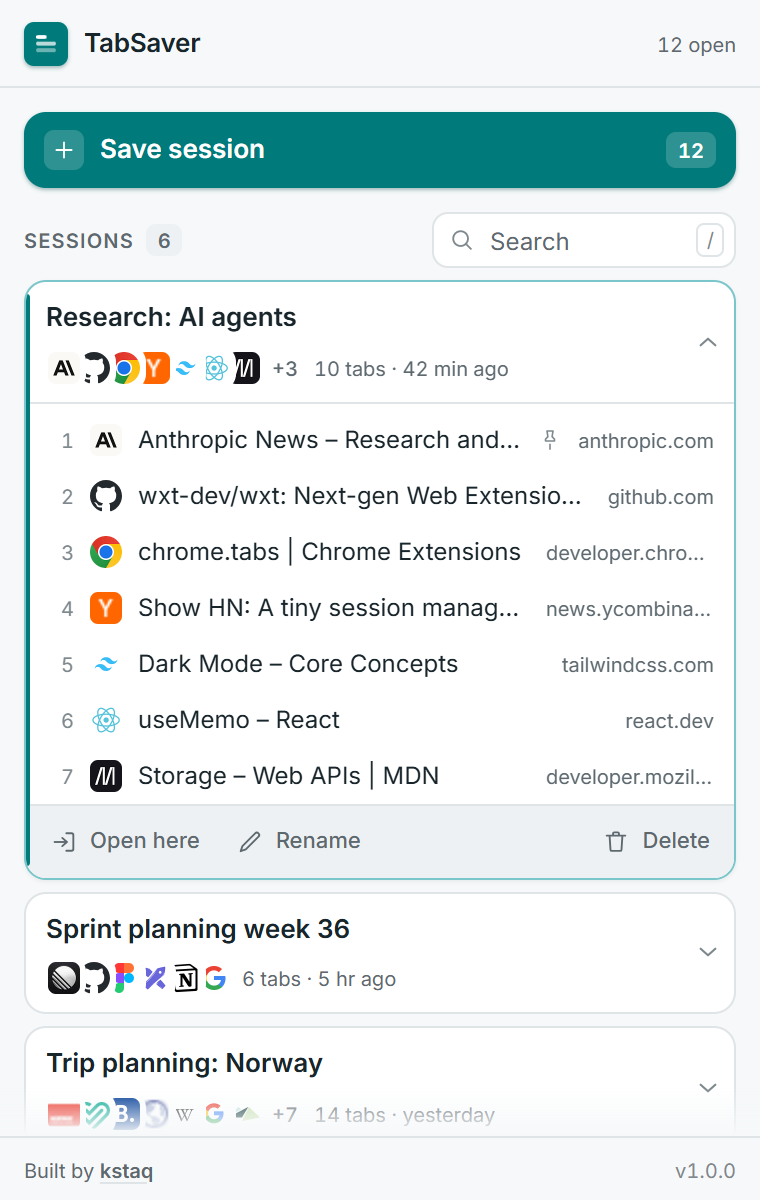
URL, title, favicon and pinned state are stored for every tab. Restoring puts them back in the same sequence they were in — not alphabetised, not shuffled.
Chrome extension
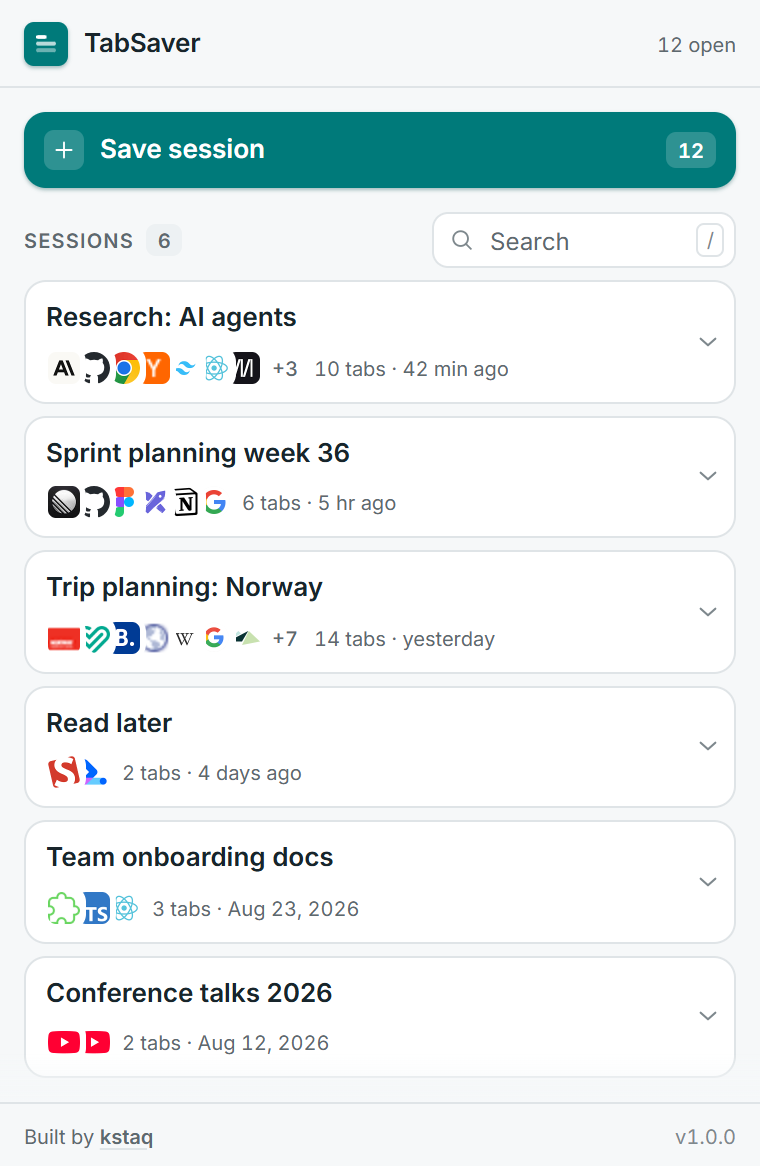
TabSaver stores all the tabs in a window as a named session and reopens them later with one click — in exactly the order they were in. Everything stays on your device.
What it does
A tab manager only earns its place if it gets out of the way. Every decision here points at that.
URL, title, favicon and pinned state are stored for every tab. Restoring puts them back in the same sequence they were in — not alphabetised, not shuffled.
A session opens in a fresh window so whatever you are doing right now stays untouched. Prefer it in the current window? That is one click too.
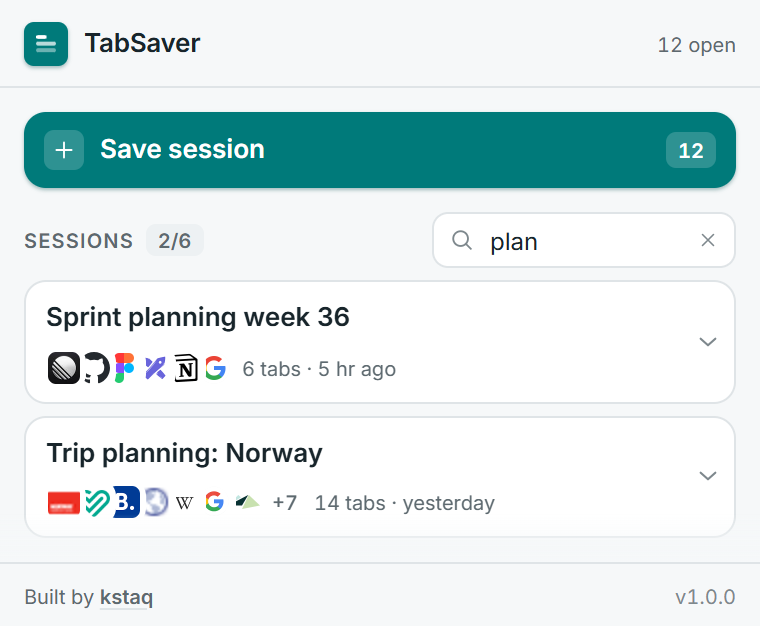
Matches session names, tab titles and full URLs. Press “/” to jump straight into the field — no reaching for the mouse.
Deleting is instant. If it was a mistake, the toast brings the session back for six seconds — at its exact previous position in the list.
No server, no account, no analytics. The extension makes zero network requests and asks for no host permissions at all.
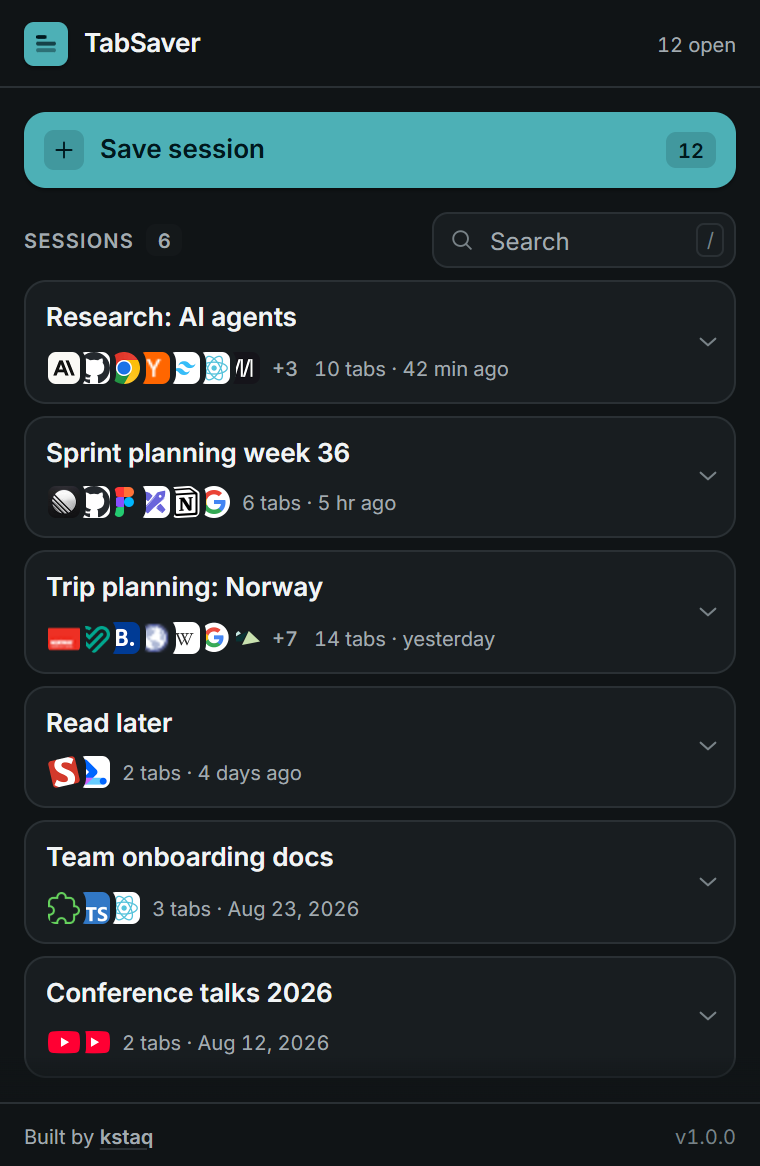
Both themes are designed separately rather than inverted, and every text colour was checked against WCAG contrast ratios.
How it works
TabSaver counts the tabs in your current window and shows them right on the button.
A sensible name is pre-filled and pre-selected. Type over it or just press Enter.
Your sessions stay in the list. One click reopens the whole set in a new window.
Details
Search appears once you have five sessions and matches names, titles and URLs at once. The list stays readable at any length, and the whole interface follows your system theme without you touching a setting.
Privacy
A list of everything you have open says a lot about you. That is why TabSaver has no backend to send it to — not as a promise, but as a technical fact you can verify in the permissions dialog.
FAQ
No. Sessions are written to chrome.storage.local, which is storage on your own device. TabSaver makes no network requests at all and requests no host permissions, so it cannot read the content of the pages you visit.
A session captures the tabs of the window you are currently in. That keeps the mental model simple: what you see in the tab strip is what gets saved. The button always shows the exact count before you commit.
They are stored with the session, but Chrome does not allow any extension to reopen them. On restore they are skipped and TabSaver tells you how many were left out, so the count never silently lies to you.
Not today. Sync would mean putting your browsing history into a synced storage area, and that is a meaningfully different privacy promise. Local-only is a deliberate choice, not an oversight.
The browser removes the extension’s local storage along with it, so every saved session goes too. Uninstalling is a clean wipe — there is nothing left behind on a server, because there is no server.
It is built on Manifest V3 and runs on Chromium 111 and newer, so Chromium-based browsers that can install from the Chrome Web Store will run it. A Firefox build exists in the codebase but is not published yet.
Free, local and about a quarter of a megabyte. Install it, save one session, and see whether you ever go back.